Google Drive: AIでファイル、フォルダ、権限を整理を今すぐお試しください(登録不要)

Google Drive: AIでファイル、フォルダ、権限を整理 · 今ある Google Drive を整理しよう
「最終見積書 (2) コピー」のようなファイルが何千もあるフリーランス、代理店、事務所、中小企業向け。業界別の命名規則、自分のファイルの一括リネーム、ZIP のフォルダツリー、権限ポリシー、貼り付けるだけで使える Google Drive 検索を提供します。
AIを使う機能では、回答はAIが生成したものであり、専門家の助言に代わるものではありません。
About to spend a 180 UC name change card without knowing if the game will accept that nick?
The niche is full of generators that return characters the game doesn't render, calculators that show you packs instead of telling you what your goal costs, and pages that outright promise free UC. Not here: the stylizer counts both the real characters and the UTF-8 bytes of each variant against the game's limit, disables copying anything that doesn't fit, and lets you see how the name looks on the profile card and in the killfeed before you pay. The calculator starts from what you want — the Royale Pass, a spin, a batch of crates — and tells you the money, the cheapest top-up combination and what's left over. Thumbnails come out with the text composed by the server, not written by an AI, and placed outside the zones the YouTube and Shorts interfaces cover. And what we don't know, we say: styles and prices are delivered marked as unverified reference data until someone checks them.
ツールを見る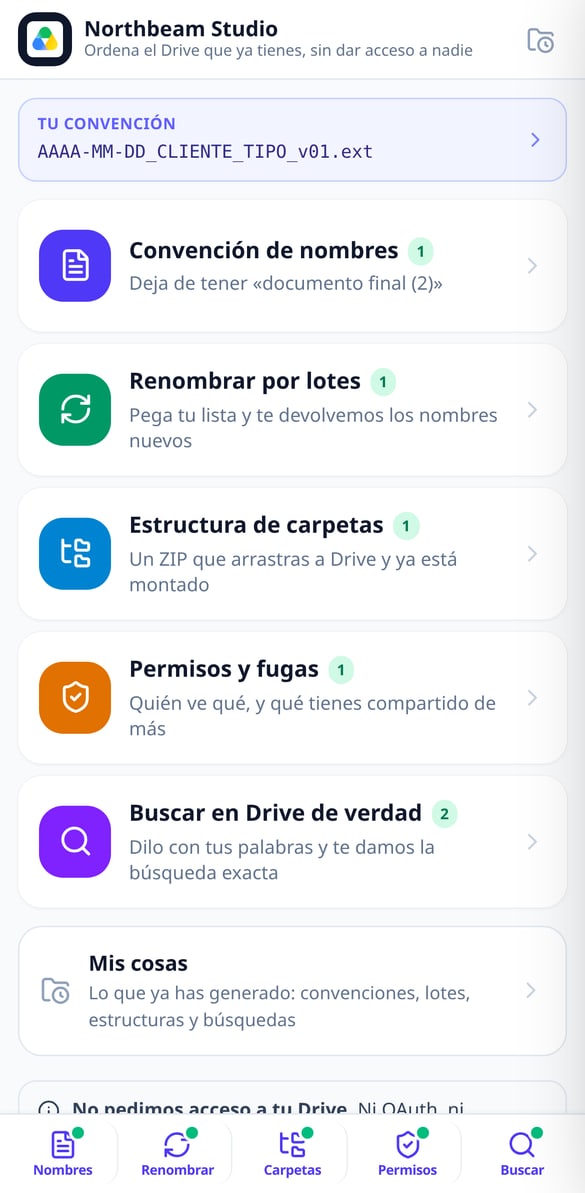
各機能を詳しく見る

業界別ファイル命名規約 | Googleドライブ
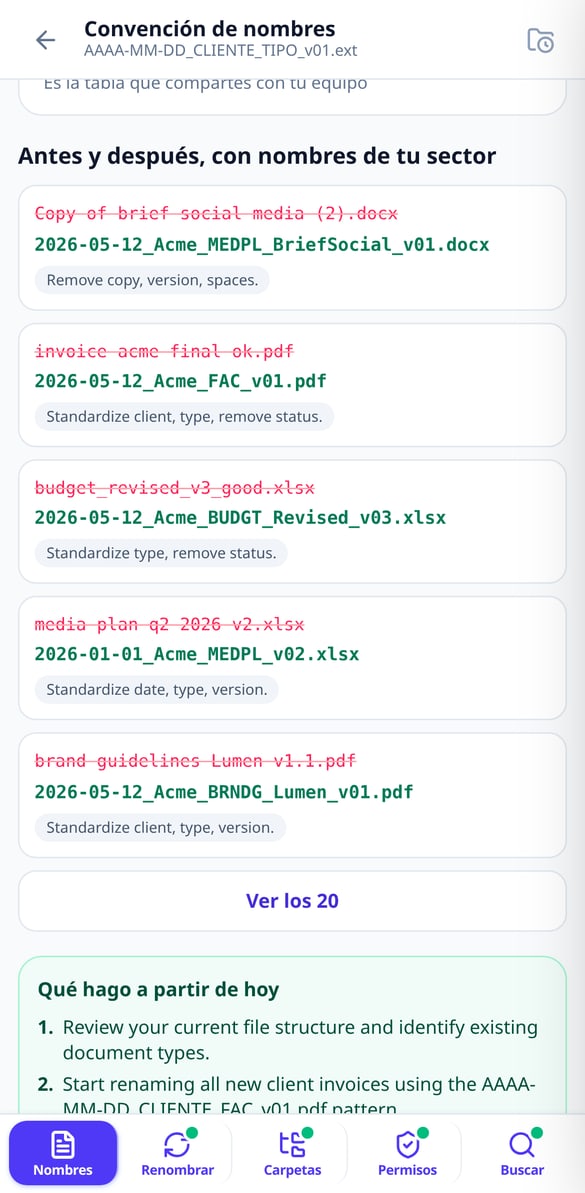
業界とファイル名の構成要素を選択すると、完全な命名式(YYYY-MM-DD_顧客_種類_v01)、5つのルール、あなたの仕事の略語、そして適用前後の例が得られます。Googleアカウントを接続する必要はありません。
無料で試す
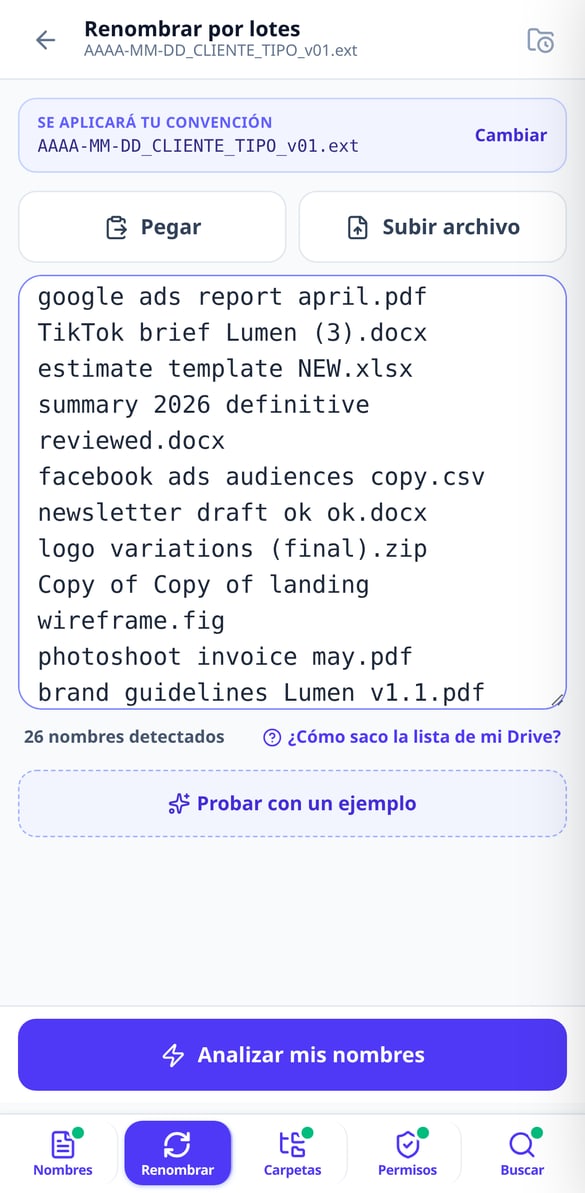
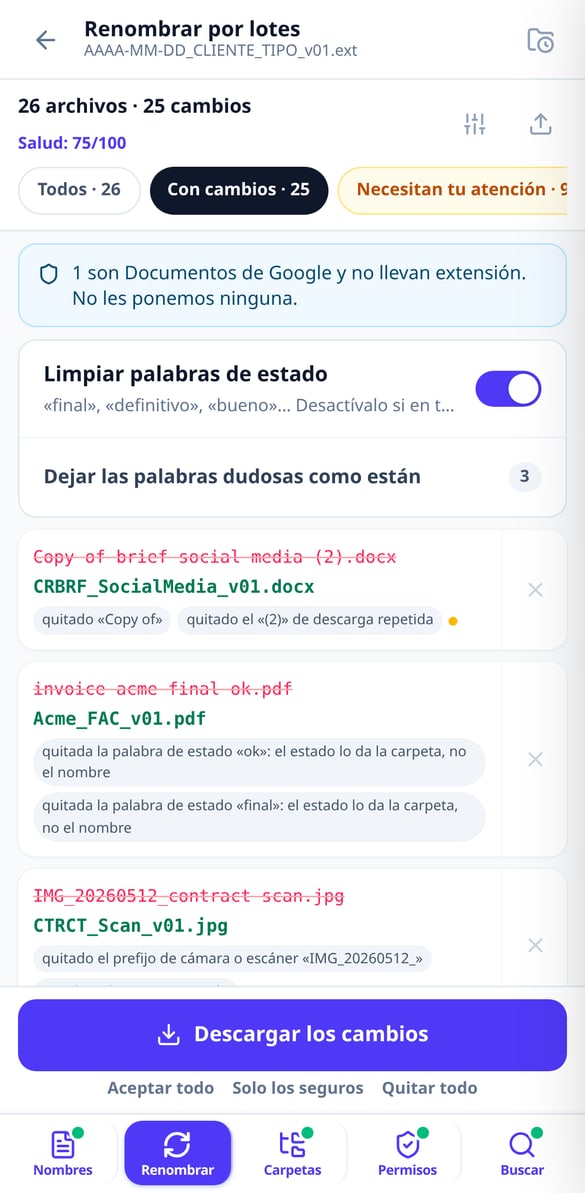
ファイルの一括リネーム | Google Drive
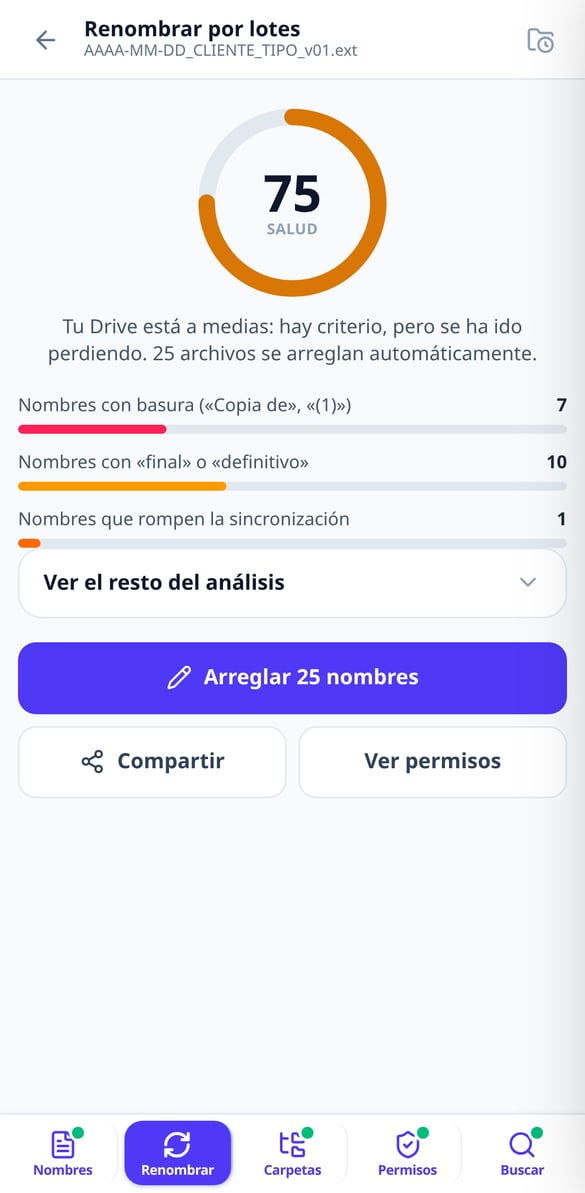
ファイルリストを貼り付けると、現在の名前から新しい名前への変更理由付きの表が得られます。最大1,000個の名前に対応し、CSVまたはXLSX形式でのエクスポート、そしてあなたのGoogle Driveに適用するスクリプトを提供します。アカウント接続は不要です。
無料で試す
Google Drive のファイル名を変更する Apps Script
あなたの名前マッピングが組み込まれたGoogle Apps Script を生成。あなたのアカウントで実行され、テストモード、再開可能なバッチ処理、最終レポートを完備。あなたのGoogle Driveへのアクセスは不要です。
無料で試す
Google ドライブの健全性スコア:あなたの散らかり具合を採点
ファイル名のリストを貼り付けると、公開されている計算式に基づいて0から100までのスコアを受け取れます。ファイル名のゴミ文字、ステータスワード、同期を妨げる文字、重複、混在する日付などを評価します。アカウントを接続する必要はありません。
無料で試す
Google Drive 用フォルダ構造をZIPで準備完了
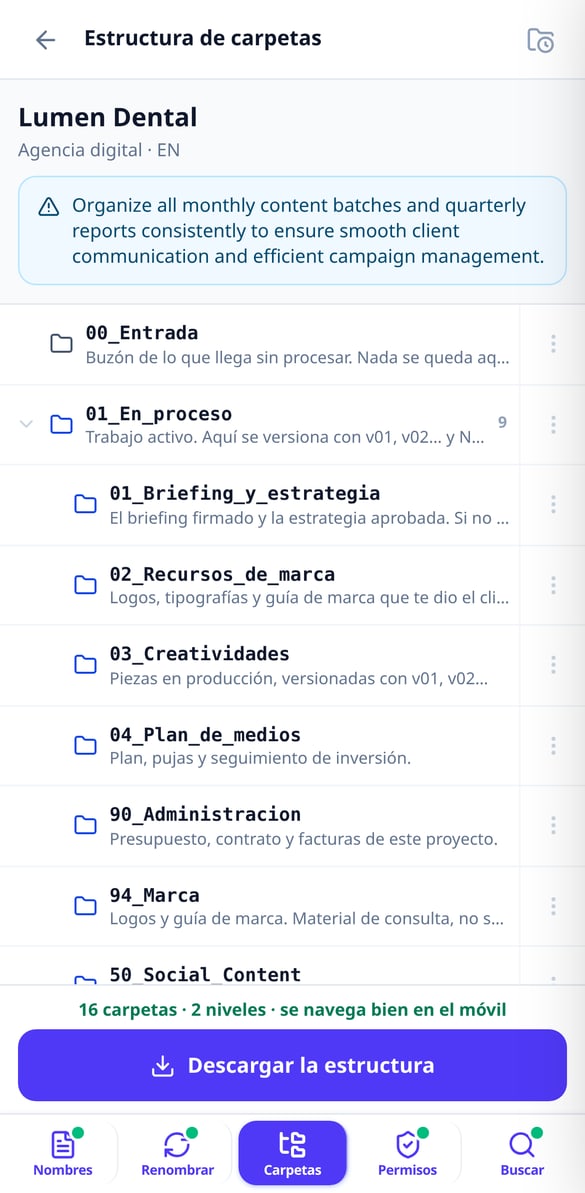
あなたの仕事の種類を選ぶだけで、プロジェクトのフォルダツリーを構築します。Driveが自動で整理できるよう番号付けされ、最大3階層です。ZIPでダウンロードし、Driveにドラッグするだけ。アカウント接続は不要です。
無料で試す
Google ドライブの権限:5つの質問でわかるあなたのポリシー
5つの質問に答えるだけで、Google ドライブの権限ポリシーを文書で提供します。算出されたリスクレベル、マイドライブと共有ドライブの比較表、8つの監査用検索クエリ、オフボーディングチェックリストが含まれます。アカウント接続は不要です。
無料で試す
Google ドライブの自然言語による高度な検索
探しているものを入力または音声入力すると、Google ドライブの正確な高度な検索クエリ(type:, title:, owner:, from:, after: など)を生成します。各部分を解説し、すぐにコピーして利用できます。アカウント接続は不要です。
無料で試す今ある Google Drive のための5つのツール
The nick stylizer, the UC calculator, the sensitivity card and the button map work without an account and without limit because they cost nothing. Only the pieces the server generates need sign-up: thumbnails, the clan emblem and the written explanation of your sensitivity.

命名規則と一括リネーム
11種類の業界から選ぶと、命名フォーマット(YYYY-MM-DD_顧客_種類_v01)、業界の文書略語、変更前と変更後の20例を受け取れます。次に名前を貼り付けます —アカウントなしで最大300件、アカウントありで1,000件—。すると「現在の名前 → 新しい名前」の表を、各変更の理由付きで CSV または XLSX で返します。

ドラッグするだけで使えるフォルダツリー
11種類から仕事のタイプを選ぶと、ライフサイクル別の構造を組み立てます —受付、進行中、クライアントレビュー、納品、アーカイブのフォルダ—。Google Drive で並べ替えやすいように番号付きで、スマホでも移動しやすいように最大3階層です。各フォルダには説明ガイドを入れてあります。ZIP で持ち帰るか、提供するスクリプトで自分の Google Drive に作成できます。

監査できる権限設定と、本当に見つかる検索
5つの質問に答えると、文書化された権限ポリシー、マイドライブと共有ドライブの比較マトリクス、担当者が退職・異動するときのチェックリスト、8つの監査検索が手に入ります。探したいことを一文で書けば、Google Drive の検索式を演算子ごとに説明して渡します。自分のアカウントで開けるリンク付きです。
3ステップ。何もインストールせず、権限も渡しません
Jump in without signing up
The app opens in your phone's browser and runs as a guest: nicks, clan tags, UC calculator, sensitivity card and button map, no account and no limit.
Type what you want
Your nick or clan tag, the spending goal in your head, the headline of your next video or your device and finger profile. Everything recalculates as you type.
Copy, download or share
The nick comes out sanitized to the clipboard, the calculation gets shared in the group and the image pieces download or save straight to your phone. If you create an account, everything stays saved.
よくある質問
Google Drive の整理は今日やる。「いつか」じゃない。
Free, right in your browser, nothing to install. Sign up only when you want to save it.